Learn / Desk phones
Softphones ship in a sprint. Desk phones don't.
Most guidance about adding calling to a software platform quietly assumes the call happens in a browser tab.
Often it does, and plenty of vendors serve that half well. But it's only half. The front desk at a dental practice has a phone on the counter. The dispatcher at a plumbing company has one with a headset. The service advisor at a dealership has one with six line keys and a directory of extensions. Those same businesses have an owner taking calls on her mobile and a biller working from a laptop, so what they actually need is both, on the same extensions, ringing in the right order.
The hardware half is where the field thins out. Most of the vendors you'll be pointed toward can't help with it at all, and the ones that can differ enormously in how much of the work lands on you.
Physical phones speak SIP. That rules out the browser SDK vendors outright, and turns CPaaS into a build project.
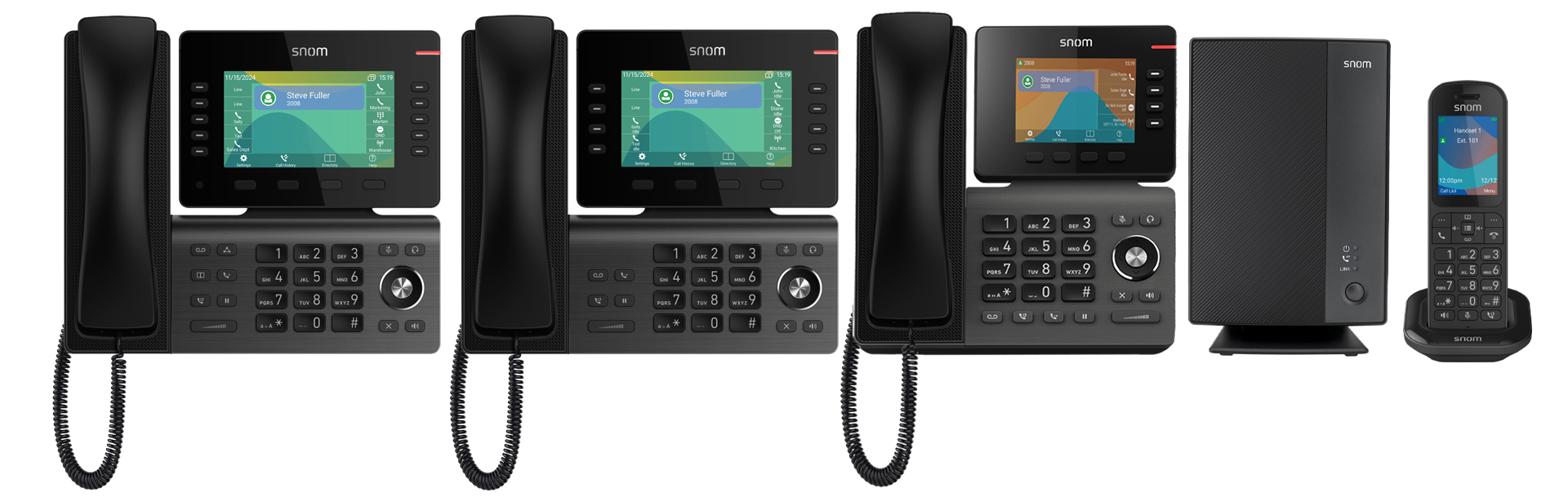
Four paths, and only one of them is a product.
1. Real-time voice SDKs: no.
Agora, Daily, LiveKit, Stream, and similar providers build excellent low-latency audio for browsers and mobile apps. They're the right answer for in-app voice chat, telehealth video, and app-to-app calling.
What they can't do is drive a desk phone. A Snom, Yealink, or Poly handset runs vendor firmware that registers over SIP. It has no way to load a JavaScript SDK. If your customers only ever call from inside your app, this category is a reasonable answer, and plenty of vertical AI platforms run their voice agents on exactly these SDKs. The moment a customer wants a handset on a counter, it's out.
2. CPaaS: yes, but you build the provisioning system.
Twilio, Telnyx, Bandwidth, Plivo, and SignalWire all support SIP registration, so a physical phone can register to a SIP domain you control and place and receive calls. That part works.
What they don't do is manage the hardware. A CPaaS gives you call control and numbers. It doesn't give you a way to take a phone out of a box at a customer site and have it come up configured. To get there you're building:
- A provisioning server. Per-device configuration served over HTTPS, often with TFTP as a fallback, keyed on the device MAC address.
- Per-manufacturer templates. Snom, Yealink, Poly, Cisco, Grandstream and Fanvil each use different config file formats and different provisioning URL conventions.
- Credential management. Generation and rotation for every registered device.
- Firmware version control. Including the part where a firmware update changes the config schema.
- A device inventory tied to your tenancy model. So customer A's phones can't pull customer B's config.
- Per-device emergency address registration. A legal requirement, not a nice to have.
This is well-understood work, which is exactly why it's easy to underestimate. It's also permanent. Every new phone model your customers buy is a new template, and every firmware release is a regression risk on hardware sitting in offices you don't control.
A CPaaS also doesn't take the regulatory layer off you, though plenty of people assume it does. If you sell the service to your customer, you're generally the provider regardless of who you buy wholesale from. That's a bigger question than hardware, so it's covered separately in who is legally the carrier when you sell phone service.
3. Wholesale carrier plus your own PBX: yes, but you're now running a PBX.
Buying SIP trunks direct from a carrier is the cheapest path per minute, and if you're doing serious volume the margin is real. But trunks are raw dial tone. To register phones against them you need a PBX in the middle: FreePBX, Asterisk, FreeSWITCH, Kamailio, or a commercial equivalent.
That means you own multi-tenancy, high availability, media handling, NAT traversal, call recording storage, and the on-call rotation for all of it. You also own the provisioning stack from option 2, because a PBX doesn't remove that work, it just relocates it.
The regulatory layer on top is larger than the engineering one, and it's the same one from option 2: buying wholesale doesn't move the line. It gets its own treatment in who is legally the carrier when you sell phone service.
Some platforms should still do this. If voice is going to be a core product surface and you have telephony expertise in house, it's a defensible choice. Just price the whole thing rather than the engineering half.
4. Turnkey white-label platforms: provisioning is included.
Intermedia, Yeastar, NetSapiens, RingLogix, and DialStack all ship device provisioning built in.
That's what the industry calls zero-touch provisioning. You enter a phone's MAC address in an admin portal and assign it to a user. The phone is shipped to the customer, plugged into ethernet, and on boot it reaches out, pulls its configuration, and comes up with the right extension, line keys, and voicemail. Nobody has to type a SIP password into a handset.
Inside this category, four things actually differ: which devices are certified, whose brand the admin portal wears, whether the platform was built for MSPs or for software platforms, and how much of the regulatory layer the vendor takes on.
Nine questions to ask every vendor.
These separate the real answers from the demos. Ask all of them.
- Which exact device models are certified, and who certifies them? "Any SIP phone works" is technically true and operationally useless.
- Is provisioning zero-touch by MAC address, or does someone configure each handset? The second answer stops working somewhere around your fiftieth customer.
- Who owns firmware? When a manufacturer ships an update that breaks a config template, whose problem is it?
- How are emergency addresses registered per device? Kari's Law and the RAY BAUM'S Act are federal requirements, and a desk phone that moves to a different suite is a compliance event, not a support ticket. (How we do it)
- Desk phones, cordless handsets, and softphones on the same extension? Your customer needs a phone at the front desk, a cordless in the back, and the owner's mobile ringing too. If those are three separate systems, your customers will notice.
- Can customers keep the phones they already own? Ask for the supported model list, not a yes. Then ask what happens to a phone that was deployed through the previous provider's zero-touch service, because that phone stays registered to them after a factory reset and has to be transferred. Vendors who've moved installed phones can answer this. The rest can't.
- Who ships, stages, and handles returns? Hardware logistics is a real operational function and someone is going to own it.
- Is device configuration isolated per tenant? Ask how, not whether.
- What happens when a customer changes their network? New router, new VLAN, aggressive SIP inspection on a firewall. This is the most common source of "the phones stopped working," and you want to know who diagnoses it.
The hard part isn't the first phone. It's the thousandth.
Two hundred customers averaging six phones each is twelve hundred devices in offices you've never visited, on networks you don't control, running firmware you didn't choose. Every one of them is a potential support call that arrives to you, because you're the software vendor whose name is on the invoice.
That's the real question behind vendor selection. Not whether a desk phone can ring, but who's on the hook the day all twelve hundred are fine except one.
We're one of the turnkey options above.
An Embedded Phone System and VoiceAI built for vertical SaaS and vertical AI platforms rather than for MSPs and resellers. Desk phones, cordless handsets, and softphones in the browser or on mobile all run on the same extensions. The admin portal carries your brand instead of ours, so your customers never see a second vendor.
We're not arguing for hardware over softphones. Most of your customers will want a mix, and the mix is the point.
- Buy the phones from us and there's no hardware data entry. MAC addresses come through the purchasing flow. You assign each phone to a user and a location, and that assignment is applied when the phone registers.
- Bring your own and you enter the MAC once, in the portal or by API. After that it provisions the same way. Zero-touch on Snom and Yealink, manual URL or DHCP Option 66 on Poly.
- Existing phones can move over. Snom, Yealink, and Poly, with a documented migration path including the previous provider's zero-touch lock.
- Every device carries a dispatch location registered with the carrier. E911, Kari's Law, and the RAY BAUM'S Act. Keeping a moved phone's location current is the account's job. The carrier side is ours.
- We're the carrier of record. Which means the filings, the registrations, and the telecom taxes are ours rather than yours. White-label alone doesn't do that. Understand the difference before you sign anything: who is legally the carrier when you sell phone service.
That part is our job, permanently.
Explore the device guide · Migrating existing phones
Phones are one part of this. What makes a platform embed a phone system instead of referring one out is the call itself: the customer record opens on the first ring, the call logs itself, and a voice agent can answer, schedule, and summarize. See what that looks like.